Built-in roles
Roles give users abilities at either the account level or at the individual workspace level.- An account-level role defines a user’s default permissions within an account.
- A workspace-level role defines a user’s permissions within a specific workspace.
Account-level roles
The following built-in roles have permissions across an account in Prefect Cloud.Workspace-level roles
The following built-in roles have permissions within a given workspace in Prefect Cloud.Custom workspace roles
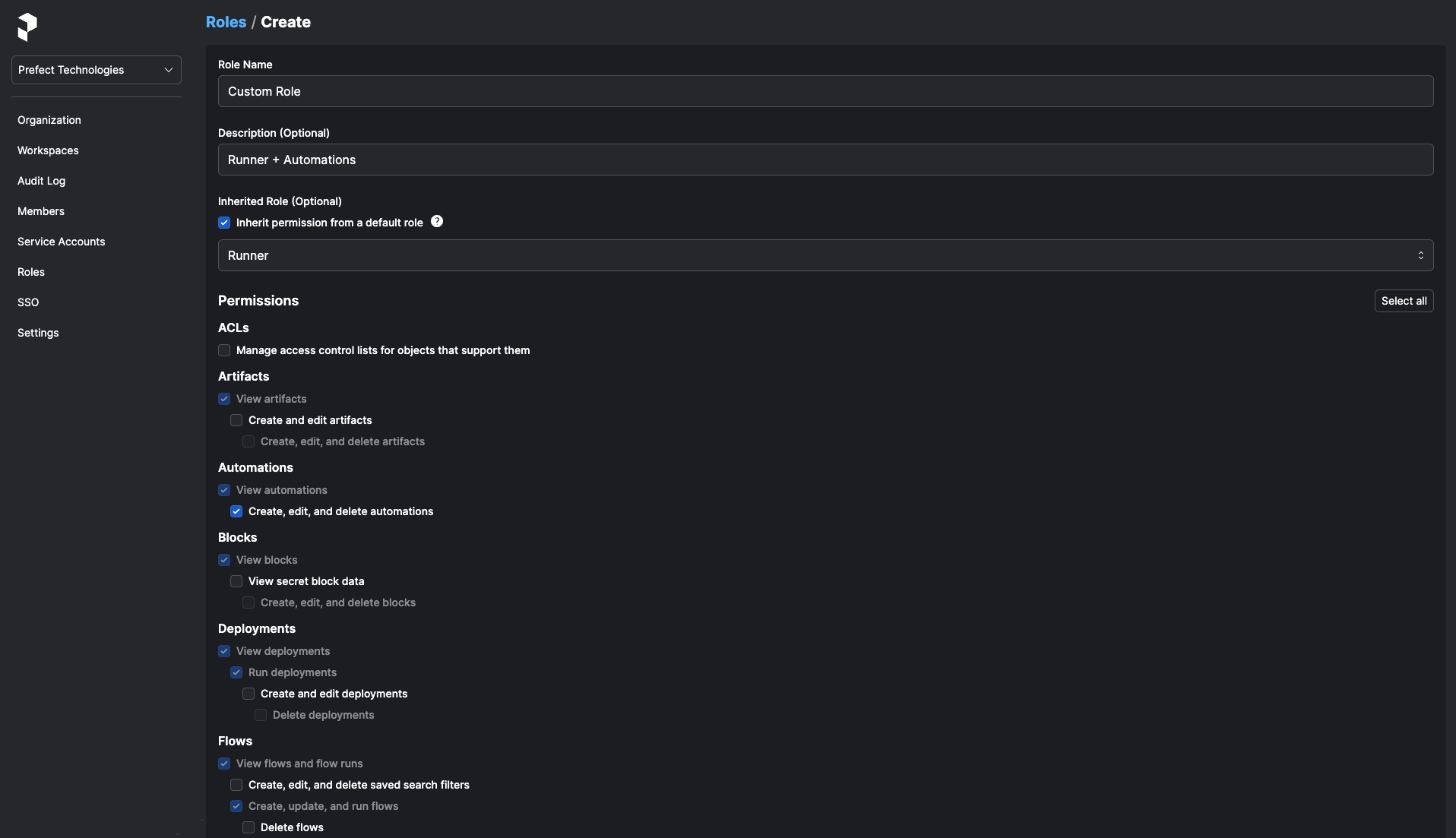
The built-in roles serve the needs of most users, but custom roles give users access to specific permissions within a workspace. Custom roles can inherit permissions from a built-in role. This enables tweaks to the role to meet your team’s needs, while ensuring users still benefit from Prefect’s default workspace role permission curation as new functionality becomes available. You can create custom workspace roles independently of Prefect’s built-in roles. This option gives workspace admins full control of user access to workspace functionality. However, for non-inherited custom roles, the workspace admin takes on the responsibility for monitoring and setting permissions for new functionality as it is released. See Role permissions for details of permissions you may set for custom roles. After you create a new role, it becomes available in the account Members page and the Workspace Sharing page for you to apply to users.Inherited roles
You can configure a custom role as an Inherited Role. Using an inherited role allows you to create a custom role from a set of initial permissions associated with a built-in Prefect role. You can add additional permissions to the custom role. Permissions included in the inherited role cannot be removed. Custom roles created from an inherited role follow Prefect’s default workspace role permission curation as new functionality becomes available. To configure an inherited role alongside a custom role, select the Inherit permission from a default role check box, then select the role from which the new role should inherit permissions.