

prefect cloud login from your CLI, you can authenticate through your browser or by pasting an API key.
Authenticating through the browser directs you to an authorization page.
After you grant approval to connect, you’re redirected to the CLI and the API key is saved to your local
Prefect profile.
If you choose to authenticate by pasting an API key, you must create an API key in the Prefect Cloud UI first.
Create an API key
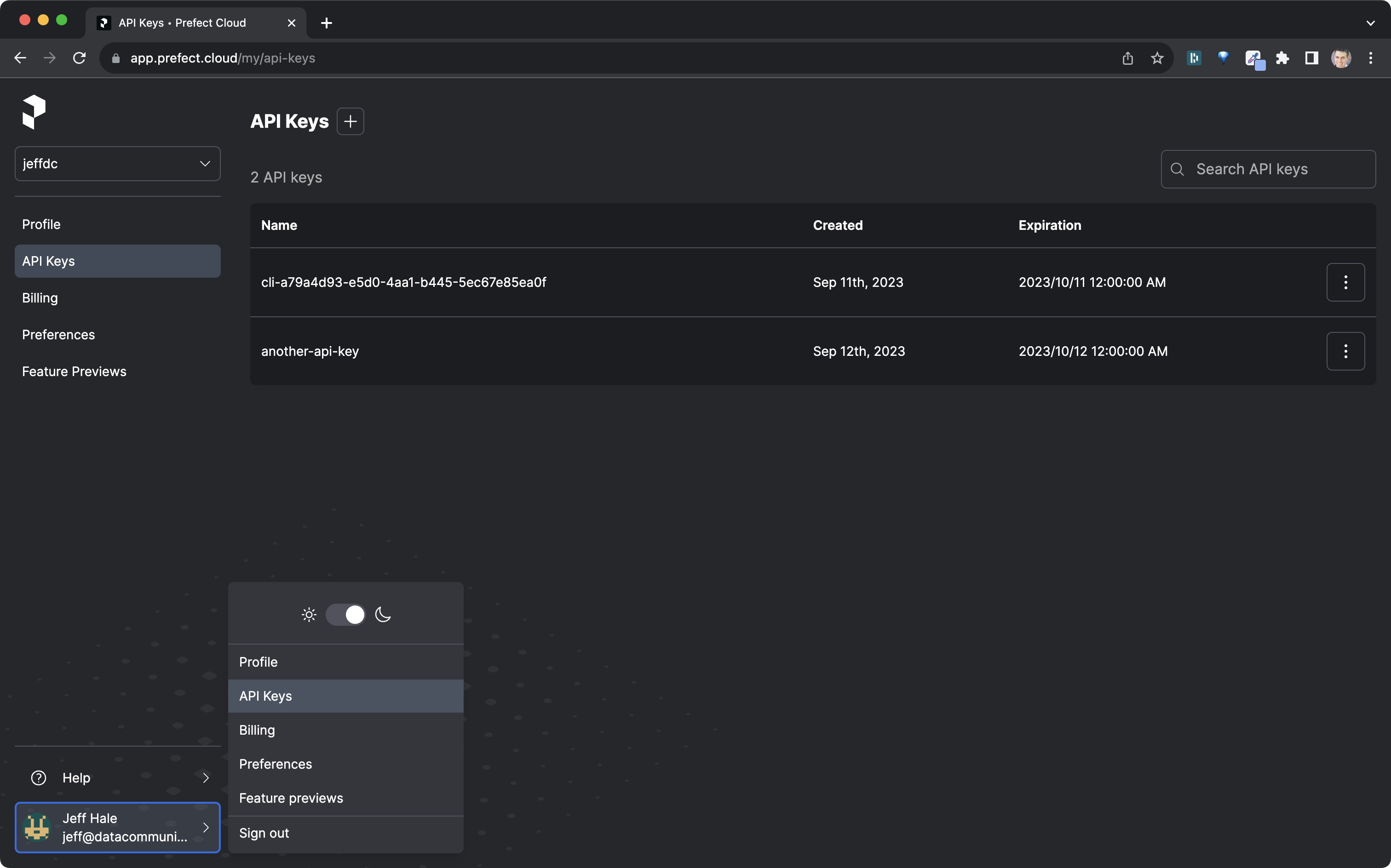
- Select the account icon at the bottom-left corner of the UI.
- Select API Keys. The page displays a list of previously generated keys, and allows you to create or delete API keys.
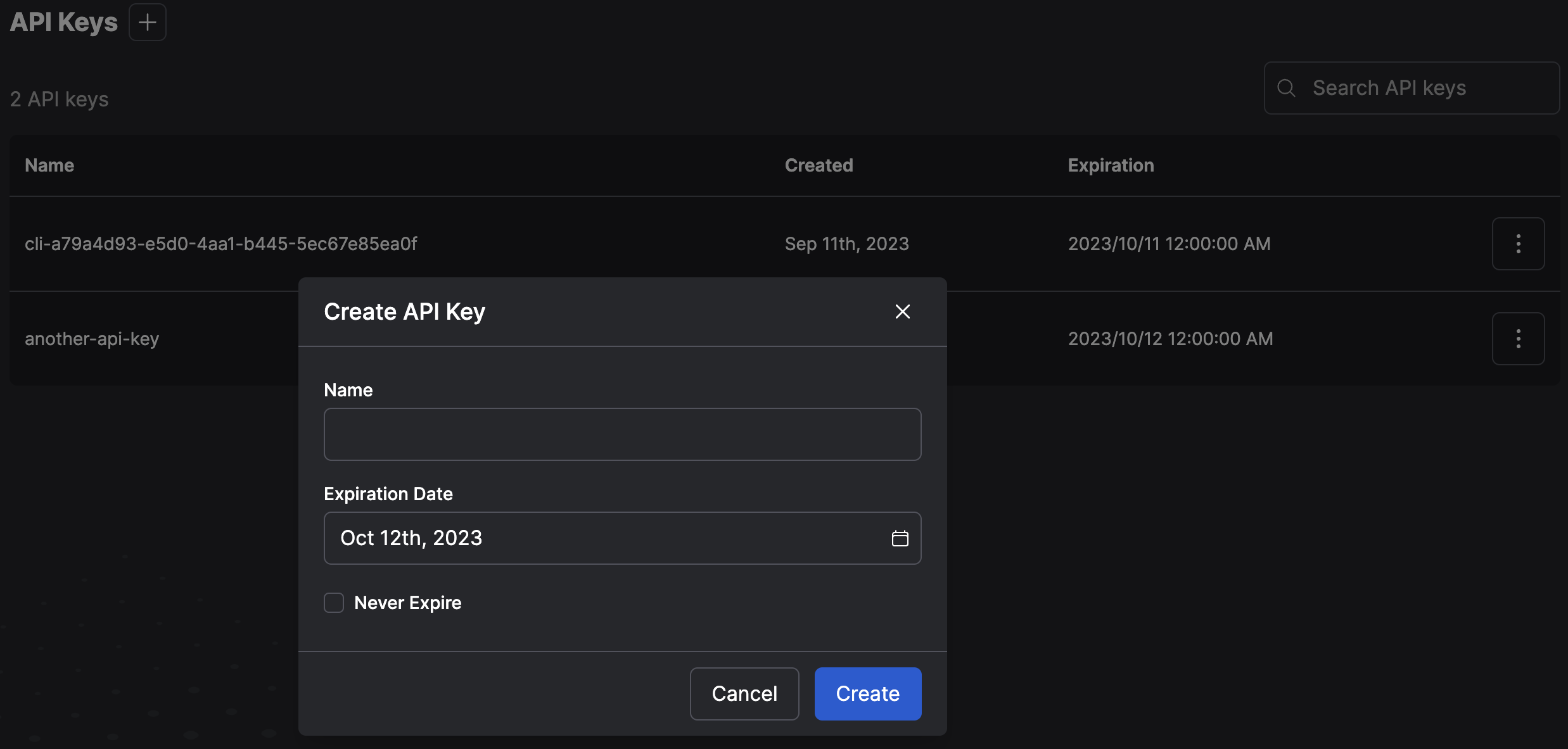
- Select the + button to create a new API key. Provide a name for the key and an expiration date.
Log into Prefect Cloud with an API Key
Service account API keys (Pro) (Custom)
Service accounts are a feature of Prefect Cloud Pro and Custom tier plans that enable you to create a Prefect Cloud API key that is not associated with a user account. Service accounts are useful for configuring API access for running workers, or executing flow runs on remote infrastructure. Events and logs for flow runs in those environments are associated with the service account rather than a user. Manage or revoke API access byconfiguring or removing the service account without disrupting user access. See service accounts for more information.